

Check the connections of the internal power cord
Warning:
Always disconnect the pod from the power
outlet before you begin disassembly, maintenance, moving, or any other
procedure.
-
Remove the plug from the power outlet.
If equipped with the optional LAN, also disconnect the LAN cord from the outlet.
- Remove the plastic trims and the wall body cover from the techwall.
-
Remove the screws from the power unit cover and open the cover.
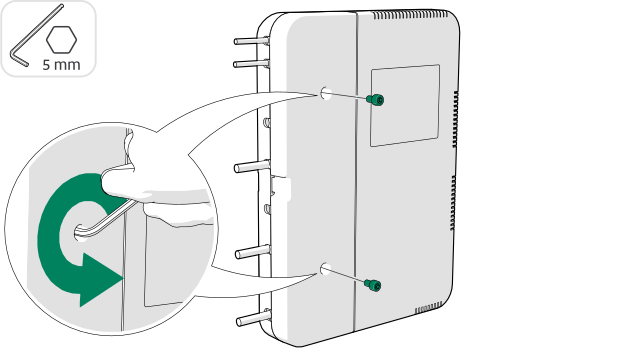
-
Check that the internal power cord is connected to the power unit.
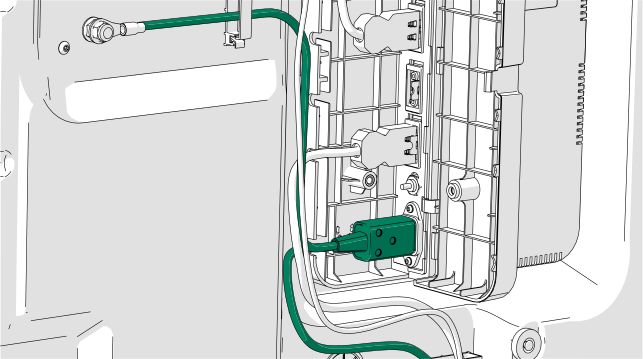
-
Close the power unit cover and secure it with the screws removed earlier.
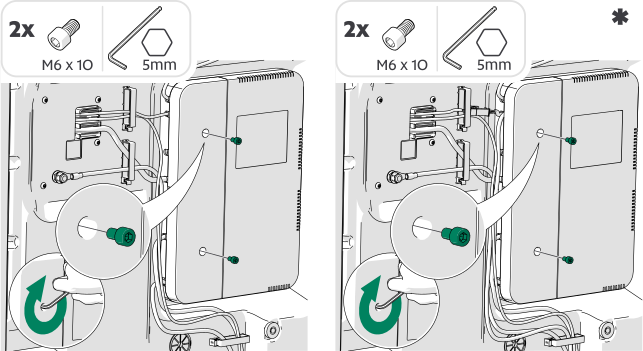
-
Check that the external power cord is connected to the internal power
cord.
Note:If the power cord is installed from the roof, the connector is located near the roof.
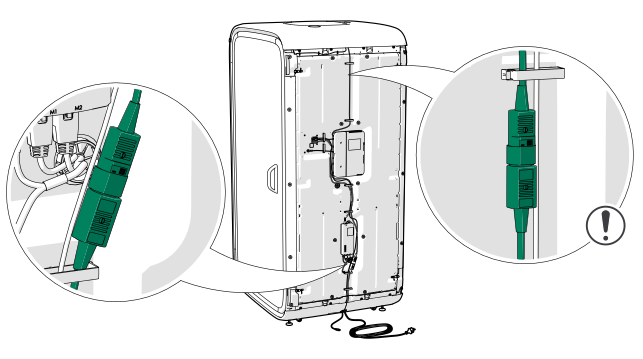
- Install the wall body cover and the plastic trims.
-
Connect the power cord.
If equipped with the optional LAN, also connect the LAN cord to an outlet.
- Reset the table. See Reset the table.