
Program the RF switch
-
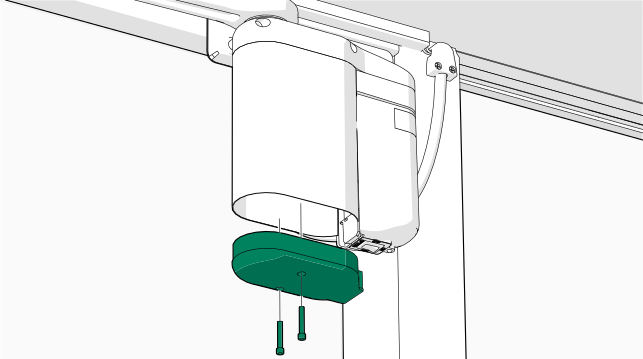
Remove the bottom cover of the door opener.
-
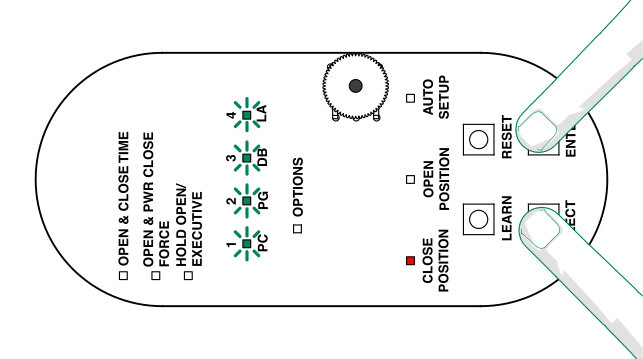
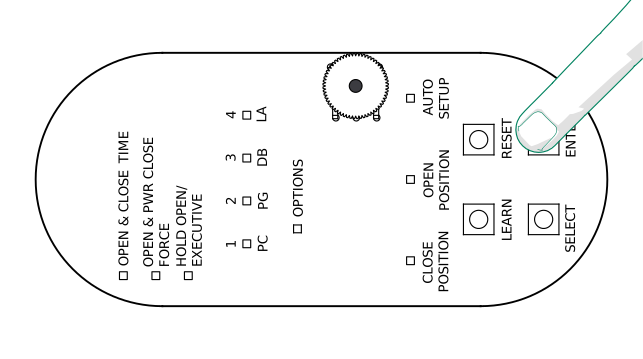
To enter the programming mode, press and hold
Select and
Enter for three
seconds.
Note: The LEDs PC–LA flash briefly in green and the CLOSED POSITIONLED lights up and stays lit.
-
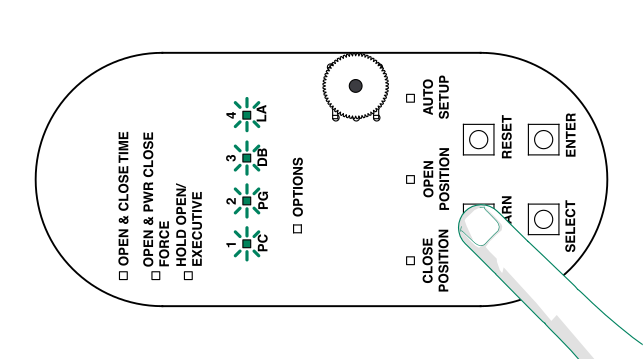
Press and hold LEARN until the LEDs PC-LA flash in
green.
-
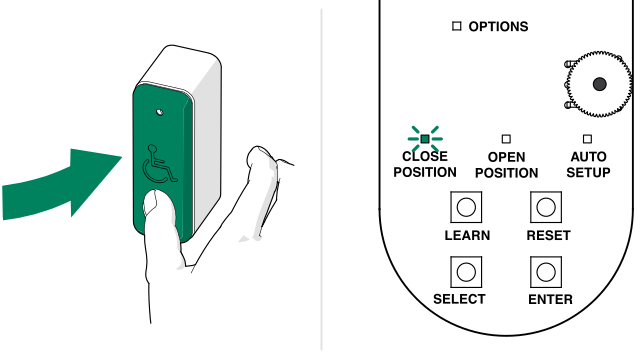
Push the RF push button.
Note: The CLOSE POSITIONLED flashes in green incating that the operator has accepted the push button.Note: If needed, repeat the programming.
-
To exit the programming mode, press and hold Enter for 3 s.
- Reinstall the bottom cover of the door opener.