Program the initial settings
-
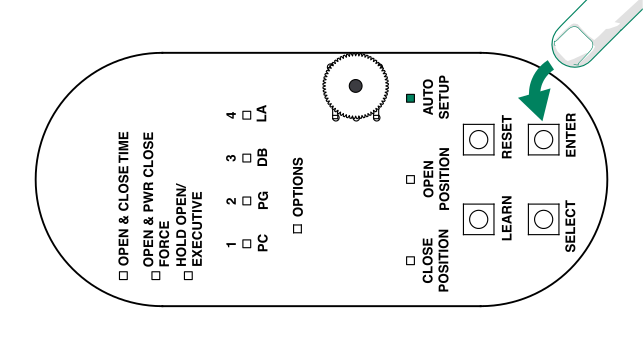
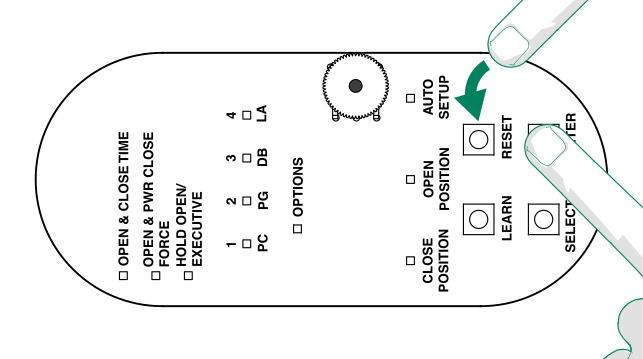
To reset the door opener and make sure that the memory is clear, press and hold
Enter. At the same time, press and release
Reset.
The LEDs PC–LA flash briefly in green.
-
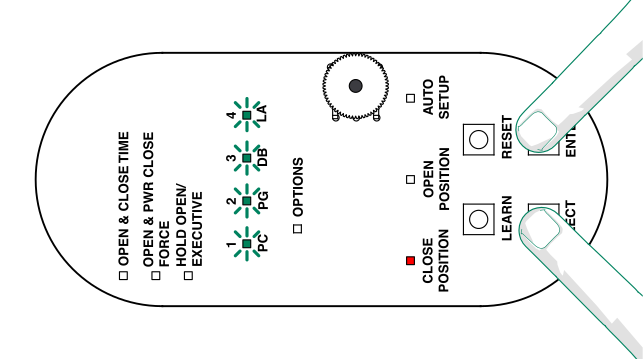
To enter the programming mode, press and hold Select and
Enter for three seconds.
Note: The LEDs PC–LA flash briefly and the CLOSE POSITION LED lights up in red and stays lit.
-
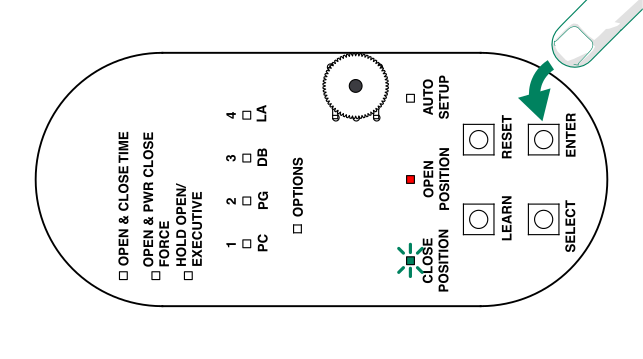
To programme the door closed position, make sure that the door is in the closed
position and press and release Enter.
The CLOSE POSITION LED flashes briefly in green. Then the OPEN POSITION LED lights up in red.
-
To programme the door open position, make sure that the door is fully open and press
and release Enter.
The OPEN POSITION LED flashes briefly in green. Then the AUTO SETUP LED lights up in red.
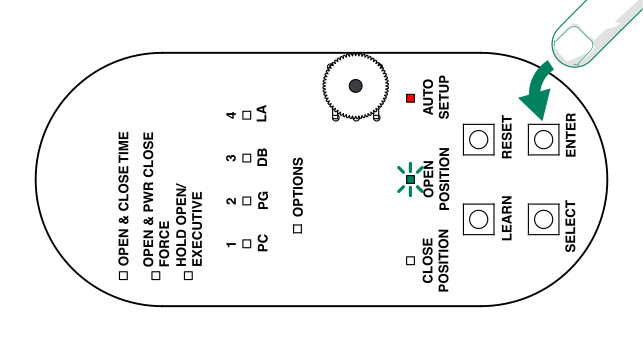
-
To confirm the door opening automatic, make sure that the door is fully closed and
press and release Enter.
The door opens 30–45° and closes. The AUTO SETUP LED lights up in green.