

Install the removed parts (techwall module)
-
Lift the new techwall into place.
Note:Make sure that the new techwall is the right way around.

-
Close the latches and install the pins at the wall and floor junction.
Note:Support the techwall until secured.

- Install the guide pins (2 pcs each) to the top edges of the walls.
-
Lift the roof onto the walls with the lifting support.
Note:Make sure that the new roof is the right way around. The arrow on the front side of the roof should be on the same side as the arrow on the front of the floor.

-
Close the latches and install the pins at the roof and wall junctions.
Note:If the power cord was installed to the roof, make sure to reconnect the main power cord to the internal power cord.

-
Install the interior panel to the ceiling.

-
Install the blank wall panel into place.
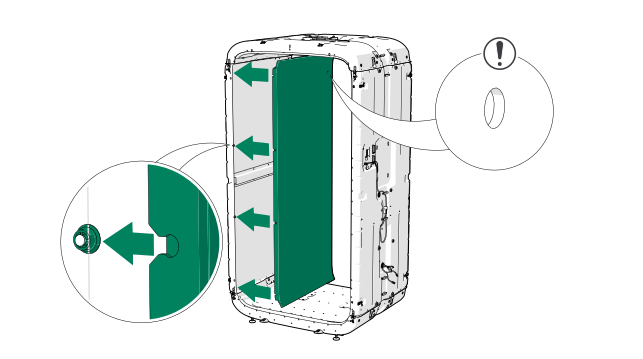
-
Install the coat hook onto the coat hook bracket.
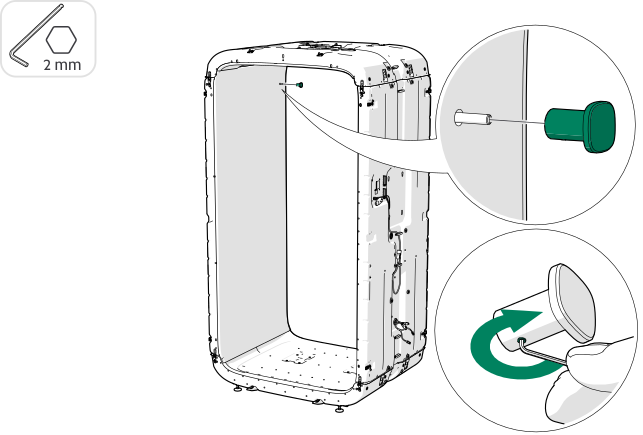
- Install the table bracket to the techwall.
- Lead the electrical cords of the table bracket through the opening in the techwall
- Connect the the electrical cords of the table bracket to the table control unit.
-
Install the techwall panel.
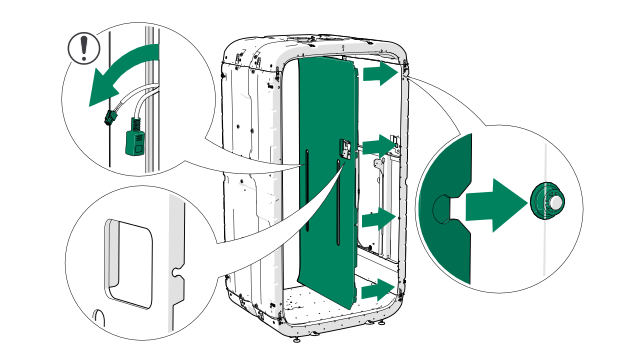
-
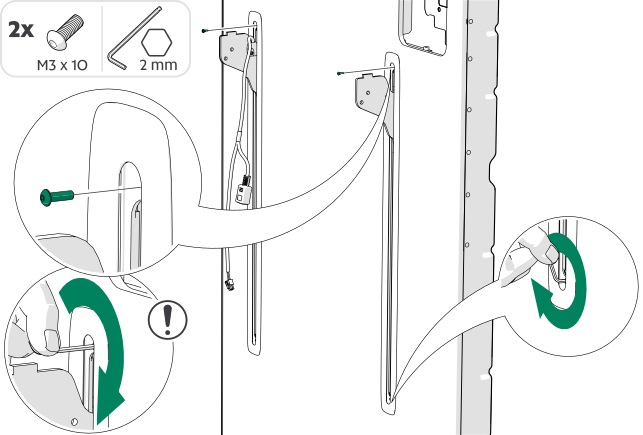
Install the slit trims.
Note:Make sure that the hammer nut is in the vertical position.
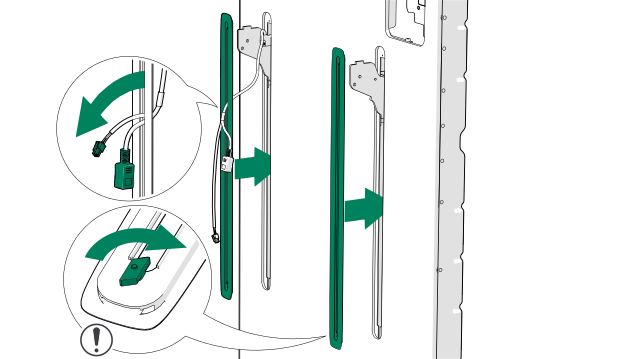
-
Install the screws to the top ends of the slit trims and at the lower ends of
the slit trims, turn the hammer nuts to the horizontal position.
Note:Do not overthighten the screw at the top end of the slit trim.Tip:Insert the long end of the hex key into the top of the screw and rotate the short end to avoid overtightening.
-
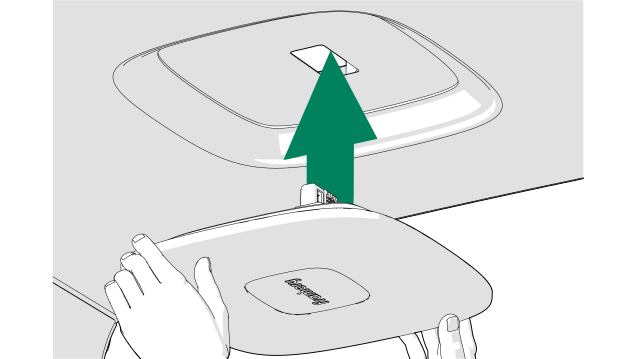
Install the light with the control hub to the ceiling.
-
Place the tabletop onto the table brakcet.
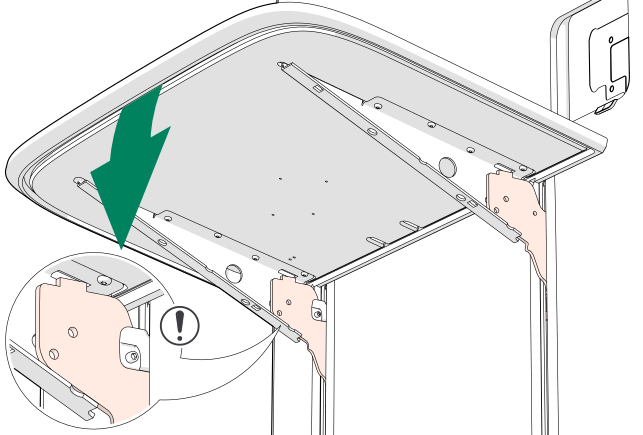
Figure 1. Without the optional wireless charger 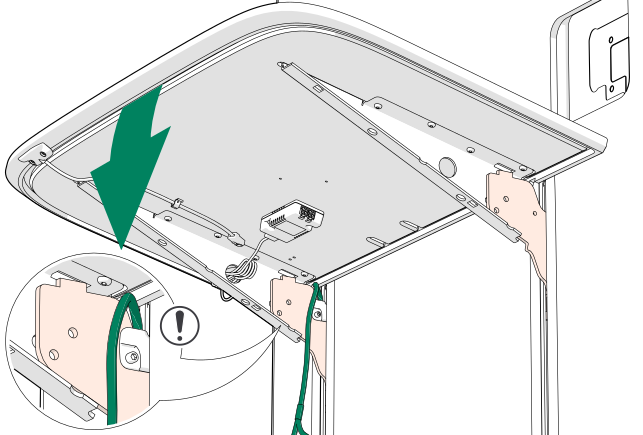
Figure 2. With the optional wireless charger -
Install the tabletop to the table bracket with screws.
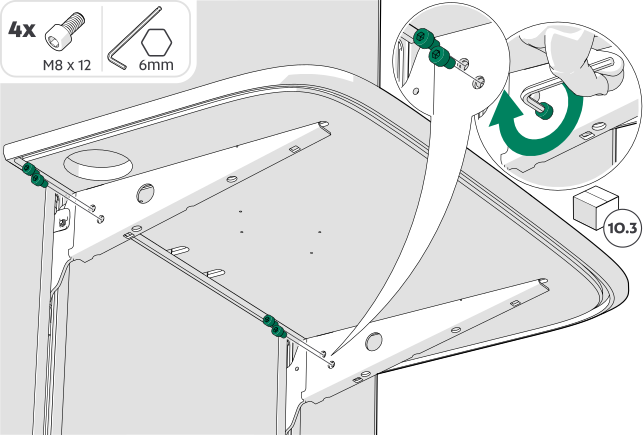
Figure 3. Without the optional wireless charger 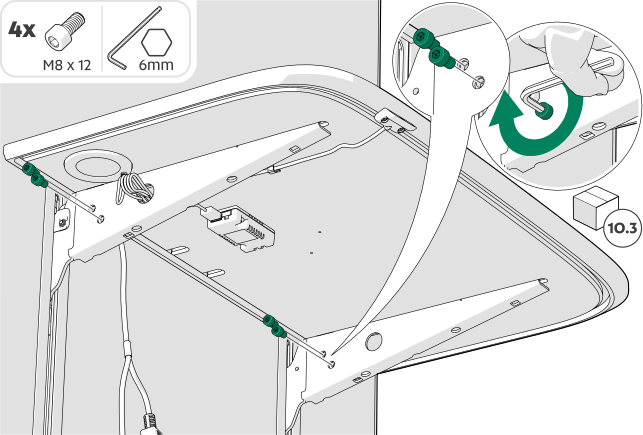
Figure 4. With the optional wireless charger -
Connect the spiral cord to the electrical equipment in the table.
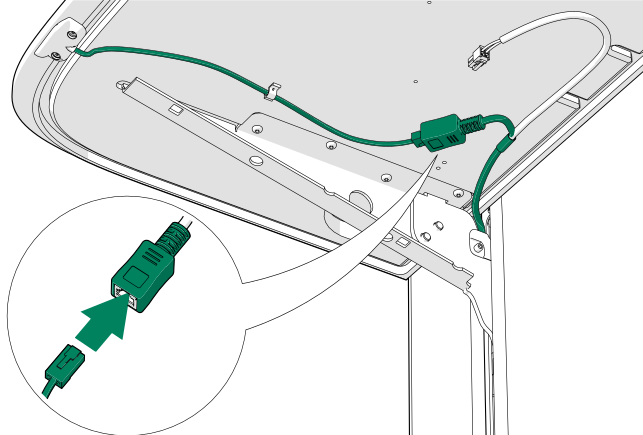
Figure 5. Without the optional wireless charger 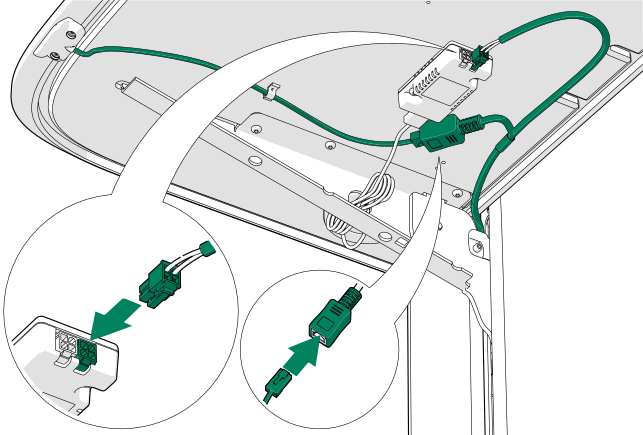
Figure 6. With the optional wireless charger -
Install the strain relief for the spiral cord.
Figure 7. Without the optional wireless charger 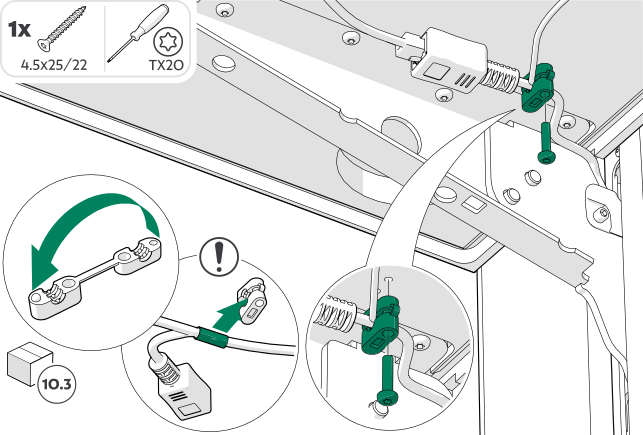
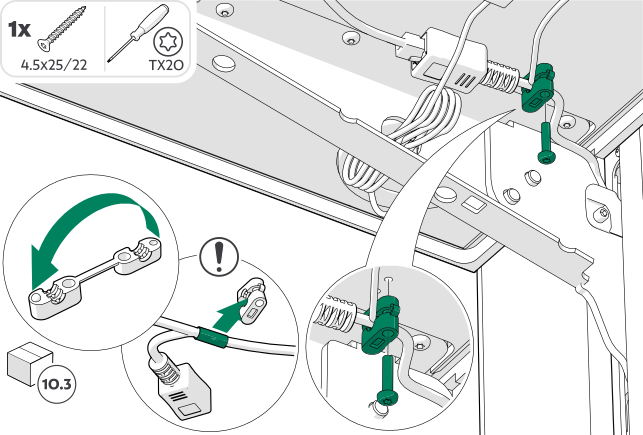
Figure 8. With the optional wireless charger -
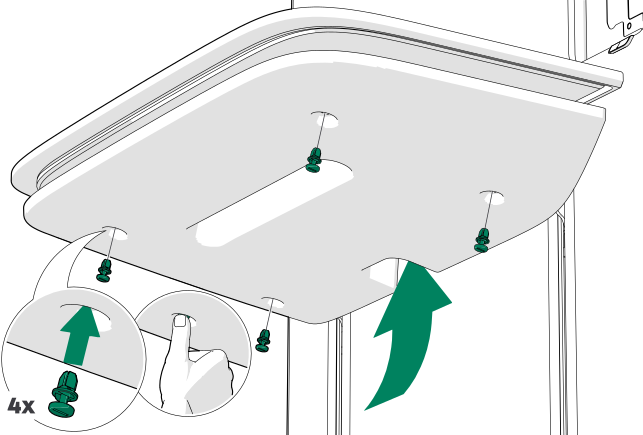
Install the bottom felt to the tabletop.
-
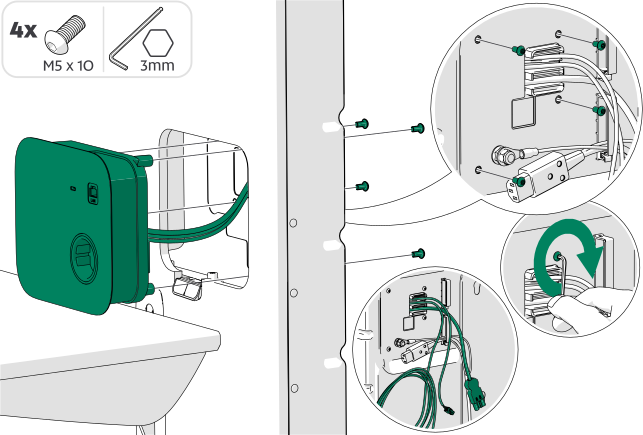
Install the control panel to the techwall.
-
Connect the power outlet cord to the power unit.
Figure 9. * = optional LAN cord -
Connect the CAN cord to the power unit.
Figure 10. Without the optional wireless charger (* = optional LAN cord) Figure 11. With the optional wireless charger (* = optional LAN cord) -
Close the power unit cover and install the screws.
Note:Make sure that the cords are not pinched or damaged.
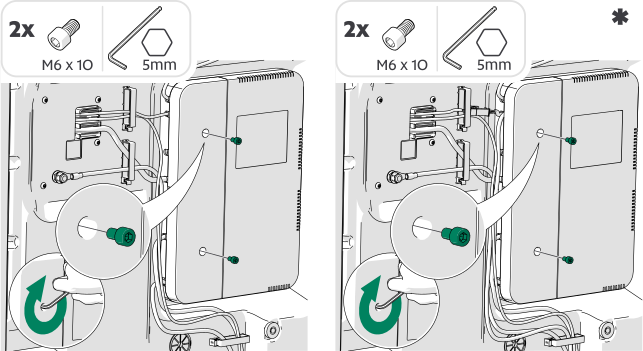
Figure 12. * = With the optional wireless charger -
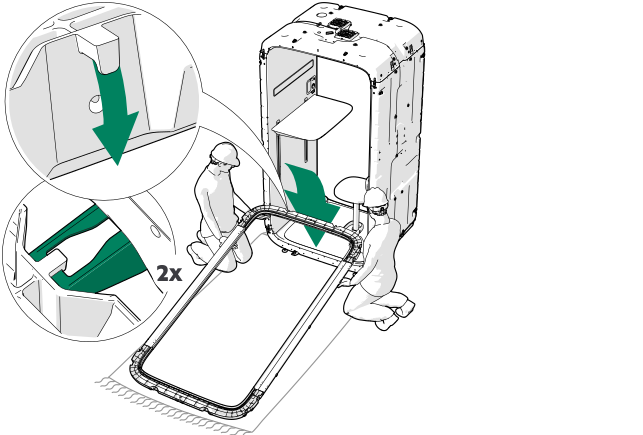
Position the glass wall close to the back of the pod so that the hooks on the
frame are directly above the slots in the floor.
Note:Make sure that the guide pin is in place at the upper edge of the frame.
-
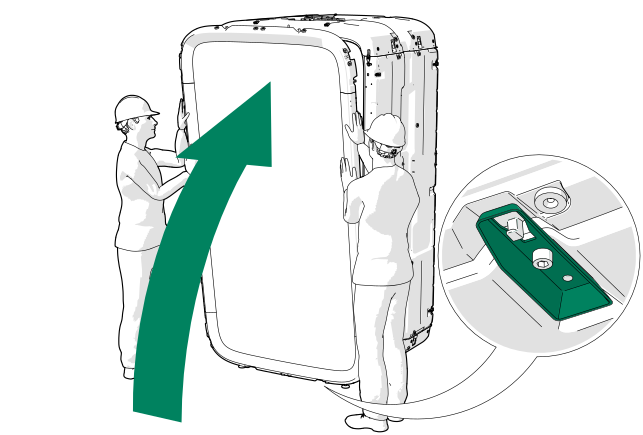
Lift the glass wall into place.
-
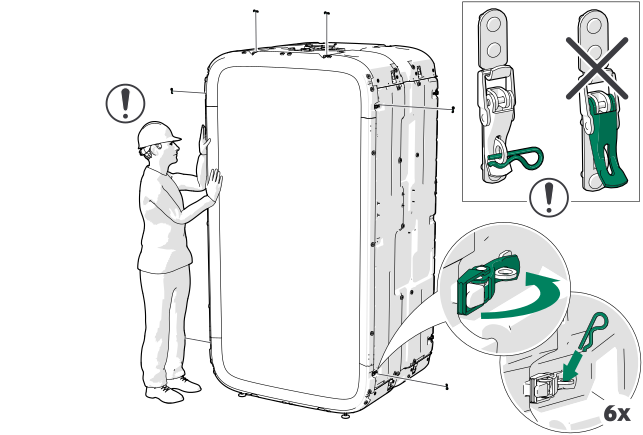
Close the latches (6 pcs) and insert the pins (6 pcs) around the glass wall
frame.
Note:Support the glass wall until all latches are secured.
-
Position the front frame with door close to the front of the pod so that the
hooks on the frame are directly above the slots in the floor.
Note:Make sure that the guide pin is in place at the upper edge of the frame.
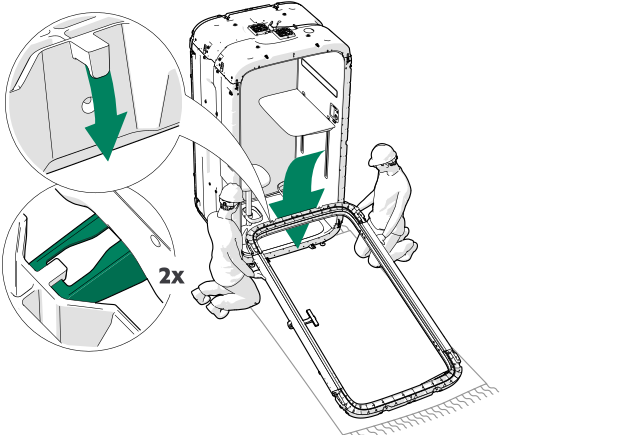
-
Lift the front frame with door into place.
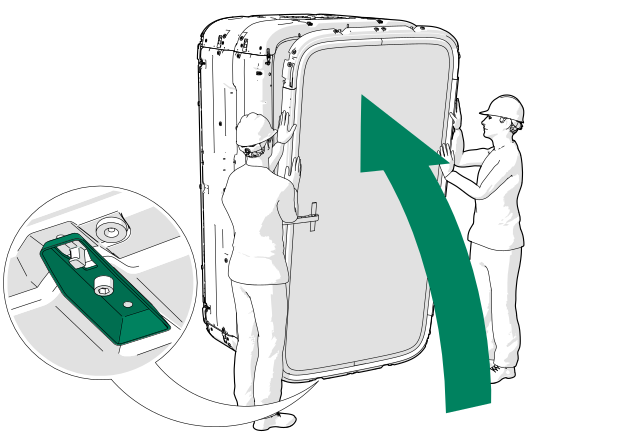
-
Close the latches (6 pcs) and insert the pins (6 pcs) around the front
frame.
Note:Support the glass wall until all latches are secured.
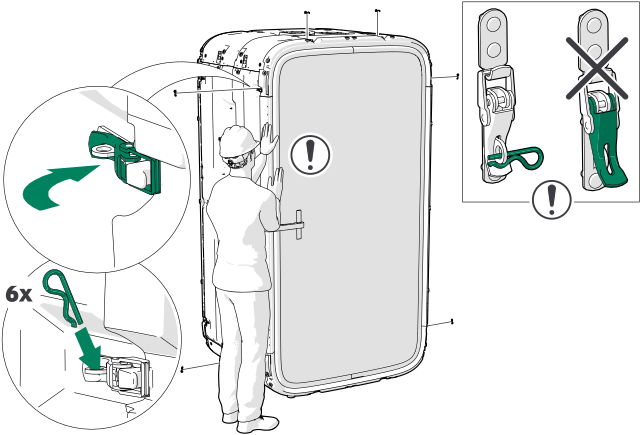
-
Remove the door brace and install the outside door handle.
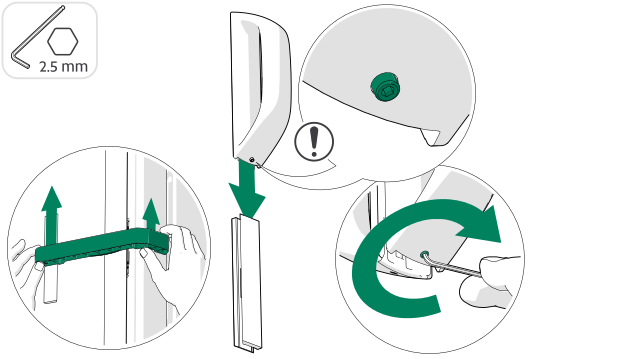
-
Install the carpet.
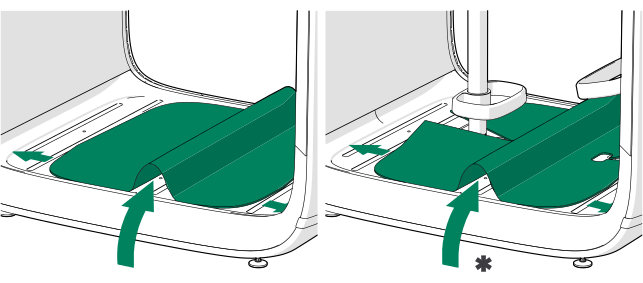
Figure 13. * = With optional chair and footrest -
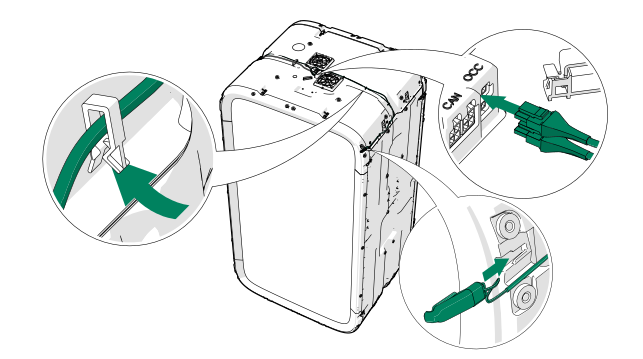
Install the occupancy indicator lights to the pod and connect the cords to the
OCC connectors of the control hub.
Install the occupancy indicator lights to the same corners they were removed from.
-
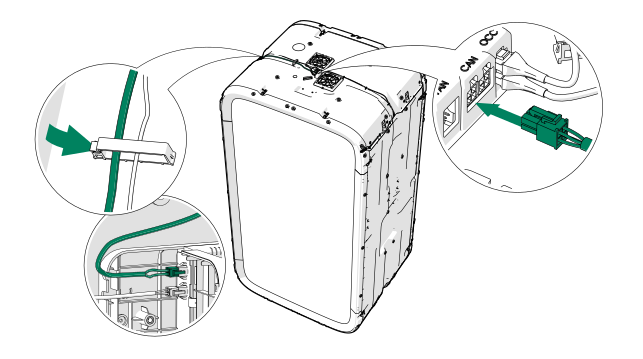
Lead the long CAN cord up to the roof from the power unit and connect it to the
CAN connector of the contol hub.
-
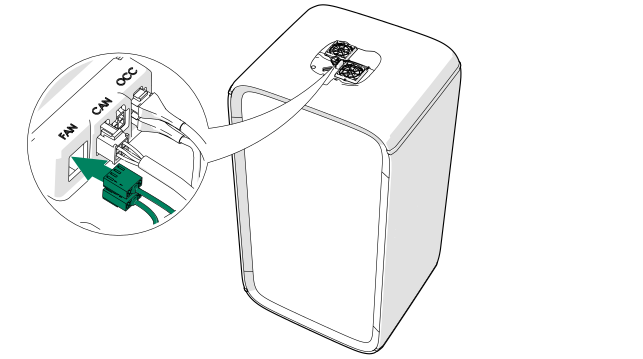
Connect the fan cords to the FAN connectors of the control hub.
- Install the body covers, the plastic trims and the fan cover in the reverse order.
-
Connect the power cord to the power outlet.
If equipped with the optional LAN, also connect the LAN cord to the outlet.