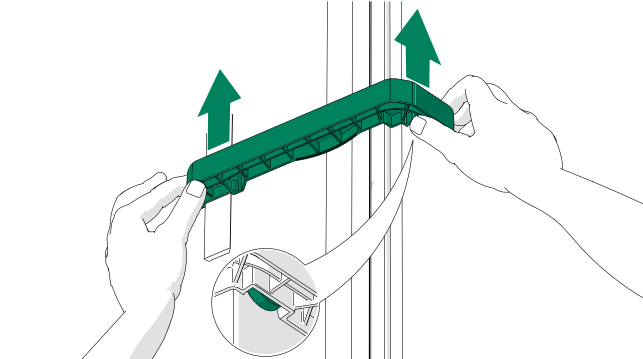

Disassemble the necessary parts (front frame with the door replacement)
-
Disconnect the power cord.
If equipped with the optional LAN, also disconnect the LAN cord from the outlet.DANGER:Always disconnect the pod from the power outlet before you begin disassembly, maintenance, moving, or any other procedure.
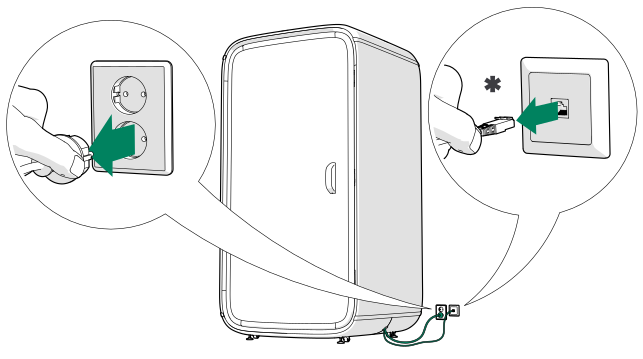
Figure 1. * = optional LAN -
Remove the fan cover.
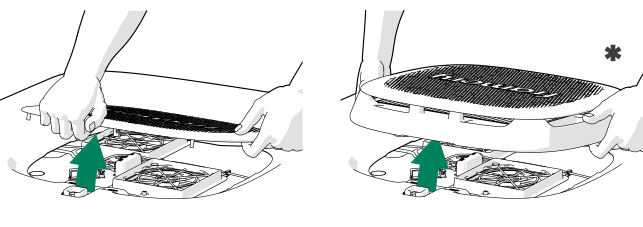
Figure 2. * = With optional activated carbon filter -
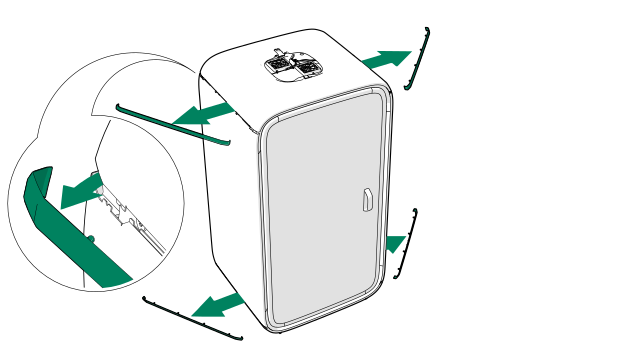
Remove the plastic trims.
-
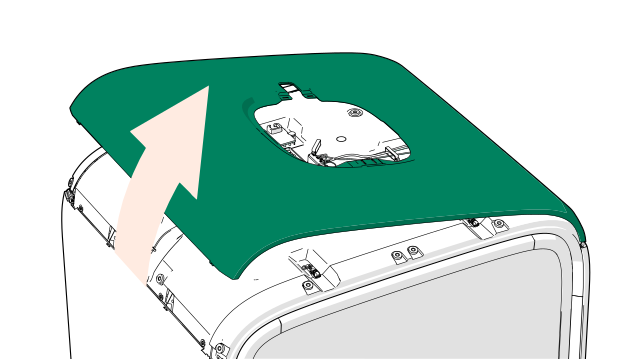
Remove the roof body cover.
-
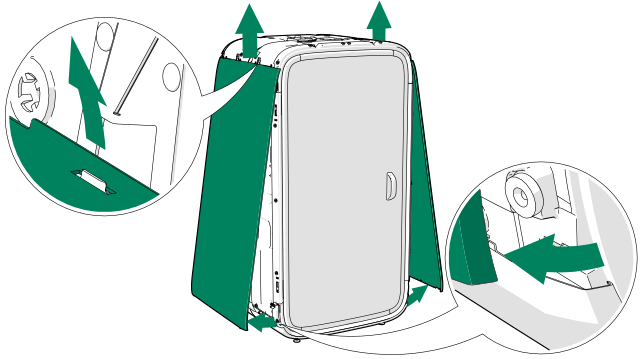
Remove the wall body covers.
-
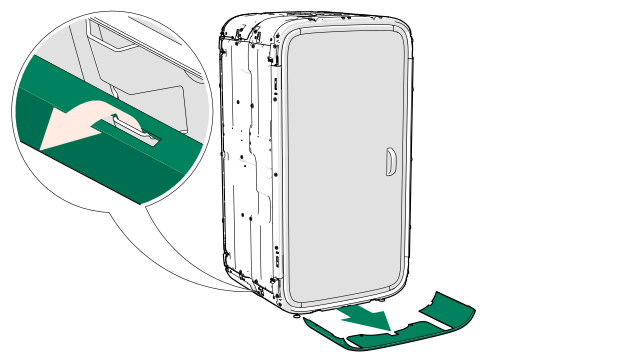
Remove the front floor body cover.
-
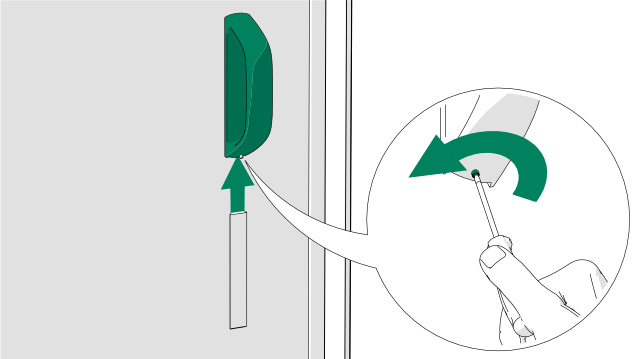
Remove the door handle from the outside of the door.
Loosen the set screw to remove the handle.Note:Do not remove the set screw.
-
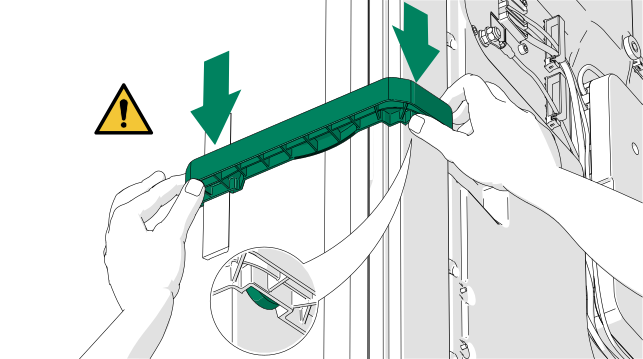
Install the door brace.
Warning:Risk of injury or damage to property. Make sure that the door brace is in place before detaching the front frame with the door.
-
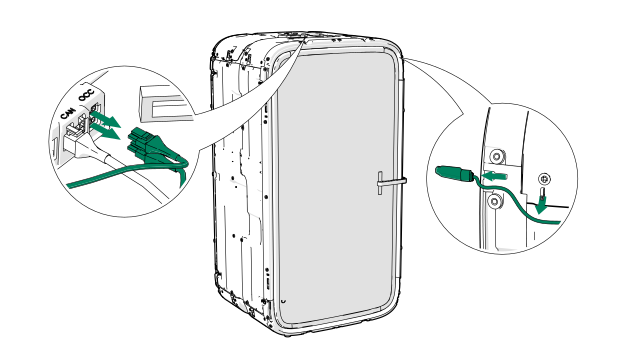
Remove the occupancy indicator lights from the front of the pod, if installed.
-
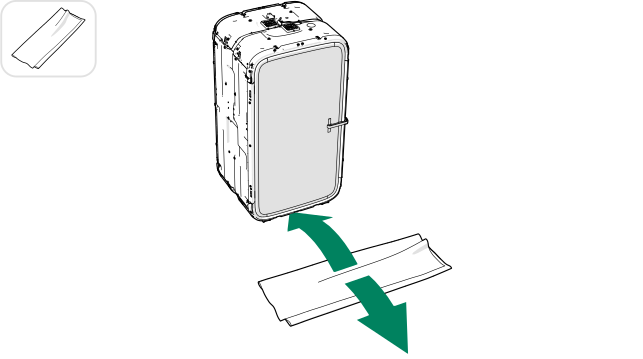
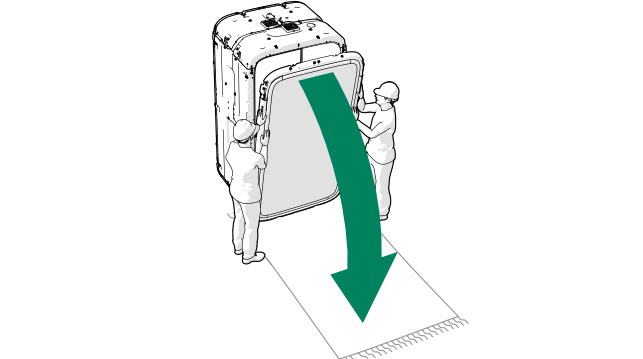
Lay a carpet on the floor in front of the pod.
Note:The carpet is needed to protect the frame from scratches.
-
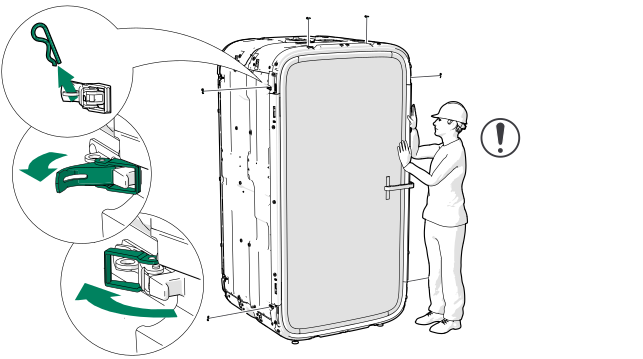
Remove the pins (6 pcs) and open the latches (6 pcs) around the front frame.
Note:Support the frame while opening the latches.
-
Carefully lower the front frame with door onto the carpet.
-
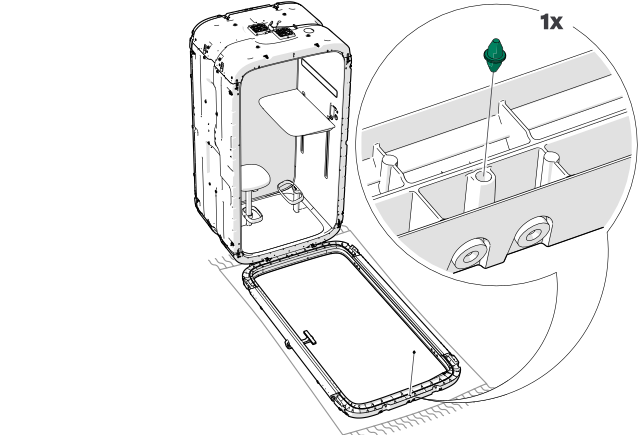
Remove the guide pin from the frame.
-
Set aside the old front frame with door.
Warning:Risk of injury or damage to property. Heavy object. Make sure that you observe safe lifting practices.
-
Remove the door brace from the old front frame with door.