

Install the smart pod kit
-
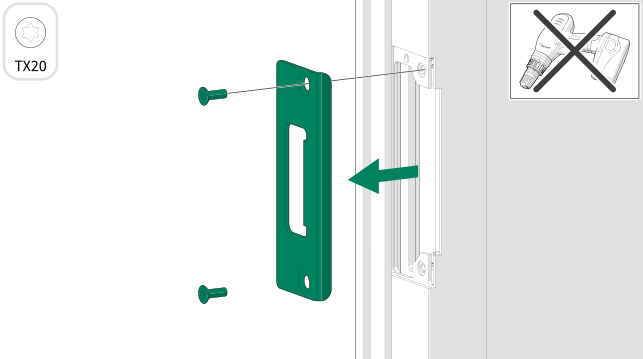
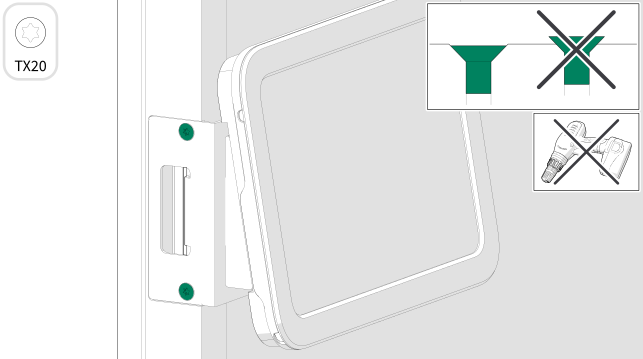
Remove the strike plate from the frame.
Set the screws aside for later use.
-
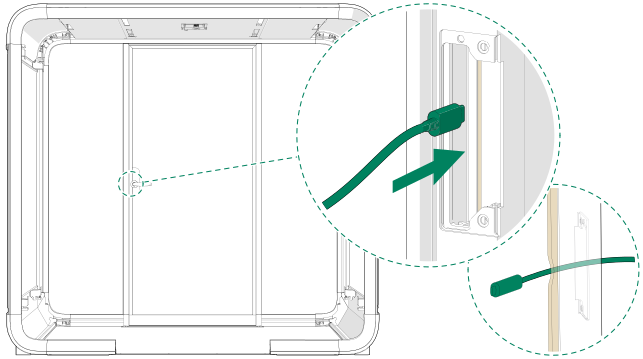
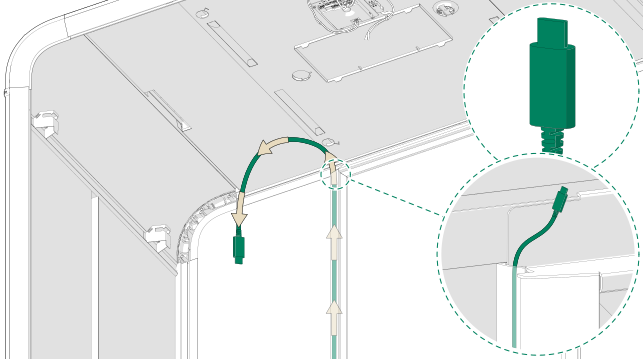
Guide the USB-C cord through the frame and
gasket.
-
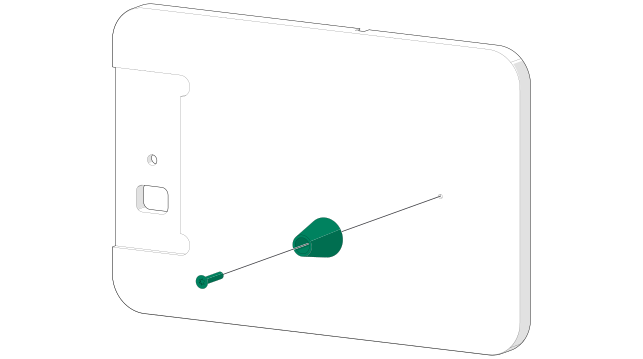
Install the rubber spacer on the wooden back plate
with a 4x20 screw.
-
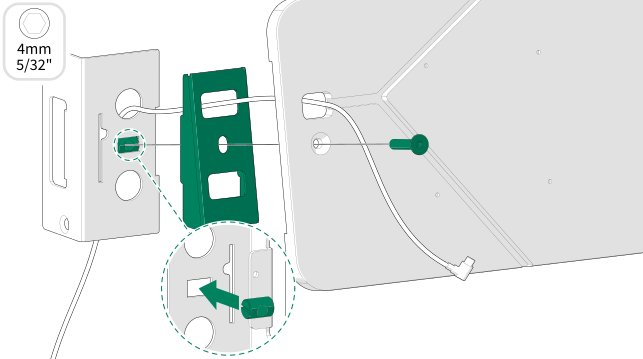
Assemble the exterior tablet mount with one M6x30
screw and one M6 barrel nut. Hold the nut in the slot while tightening the
screw.
-
Install the exterior tablet mount to the frame
with the screws set aside earlier. Do not tighten the screws fully.
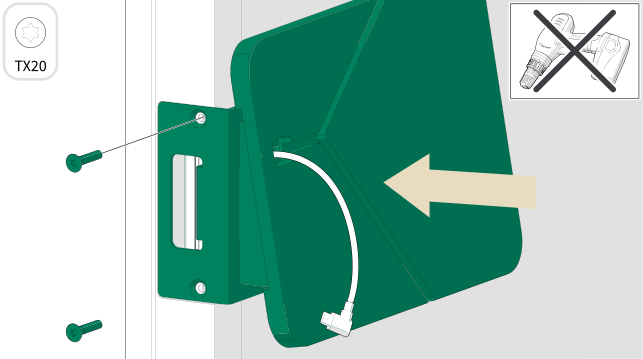
Figure 1. The tablet installed on the right side of the door 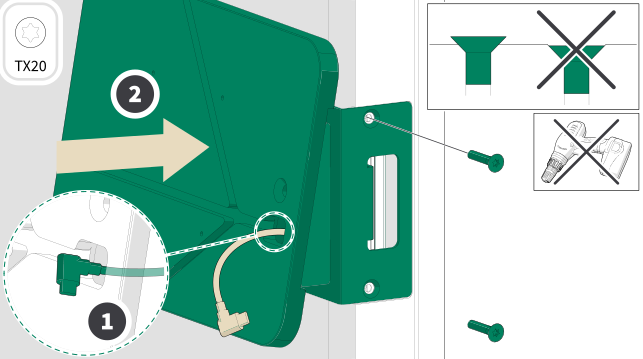
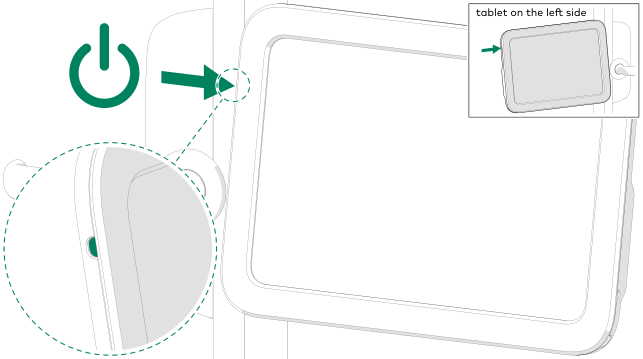
Figure 2. The tablet installed on the left side of the door -
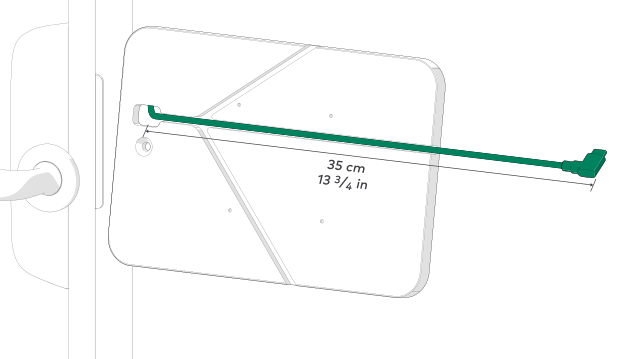
The USB-C cord length must be adjusted to correct
length.
Note:In left side installation, the correct length is 32 cm / 12 9/16 in.
-
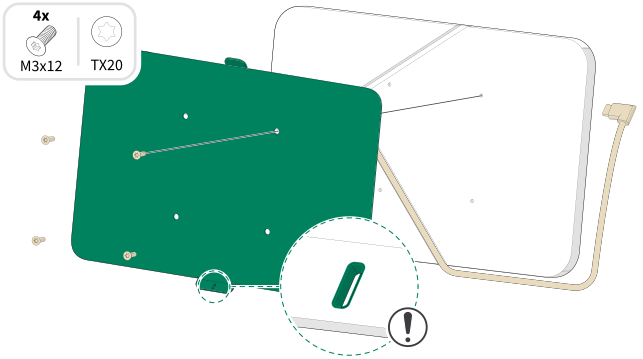
Install the mounting plate to the back plate with
the wood screws provided.
The cord must always be routed from the lower recess.
-
Note:Make sure that the tablet is aligned with the wall mount frame.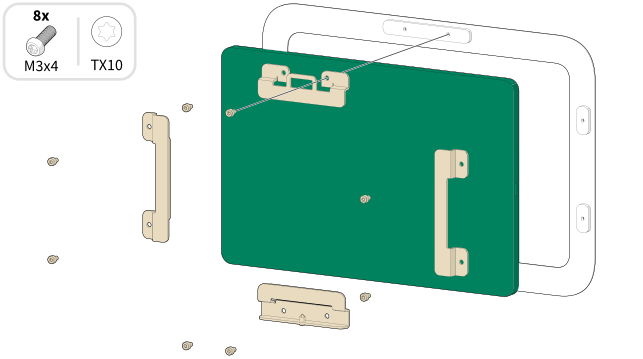
-
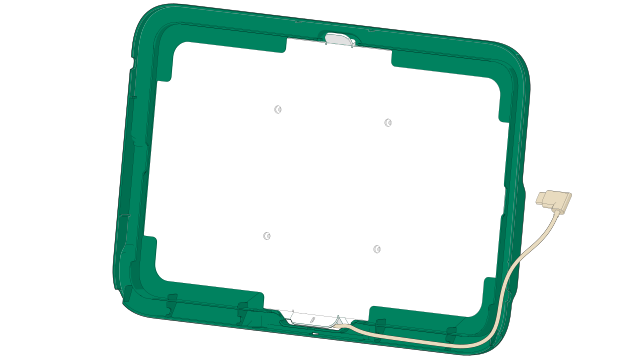
Set the side cover in place and make sure that the
USB-C cord length is as shown.
-
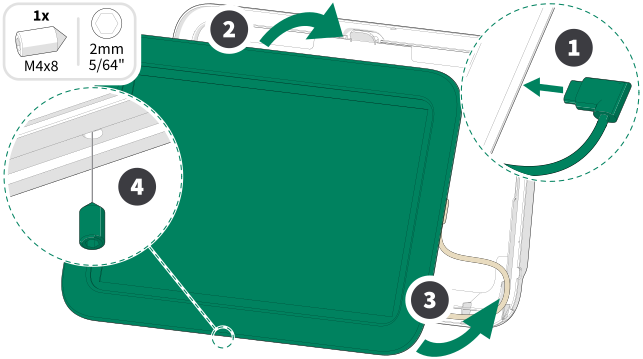
Guide and connect the cord. Hang the tablet
assembly from the top and press all the parts together from the bottom.
-
Note:Do not overtighten the screw.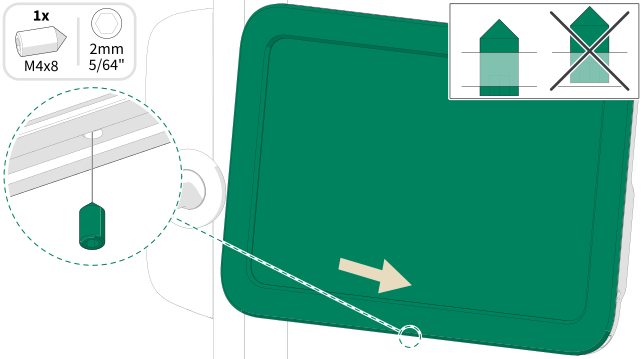
-
Tighten the screws.
-
-
Note:Make sure that the cord does not cover the core unit. Route the cord around it.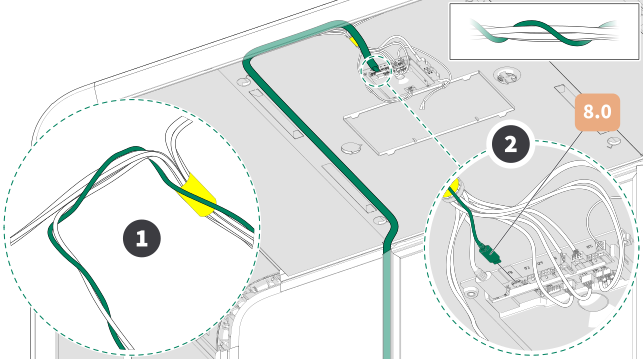
-
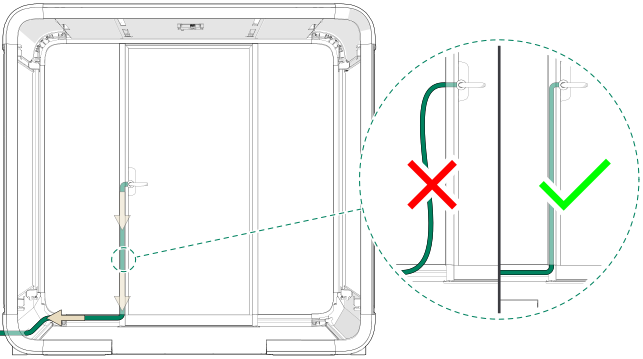
If the tablet is powered by some other cord than
USB-C, guide the cord down or up along the frame and out of the pod through the
same opening as the pod power cord.
-
- Continue the device paring by following the instructions in the smart office quick guide or visit info.framery.com/device-pairing.